
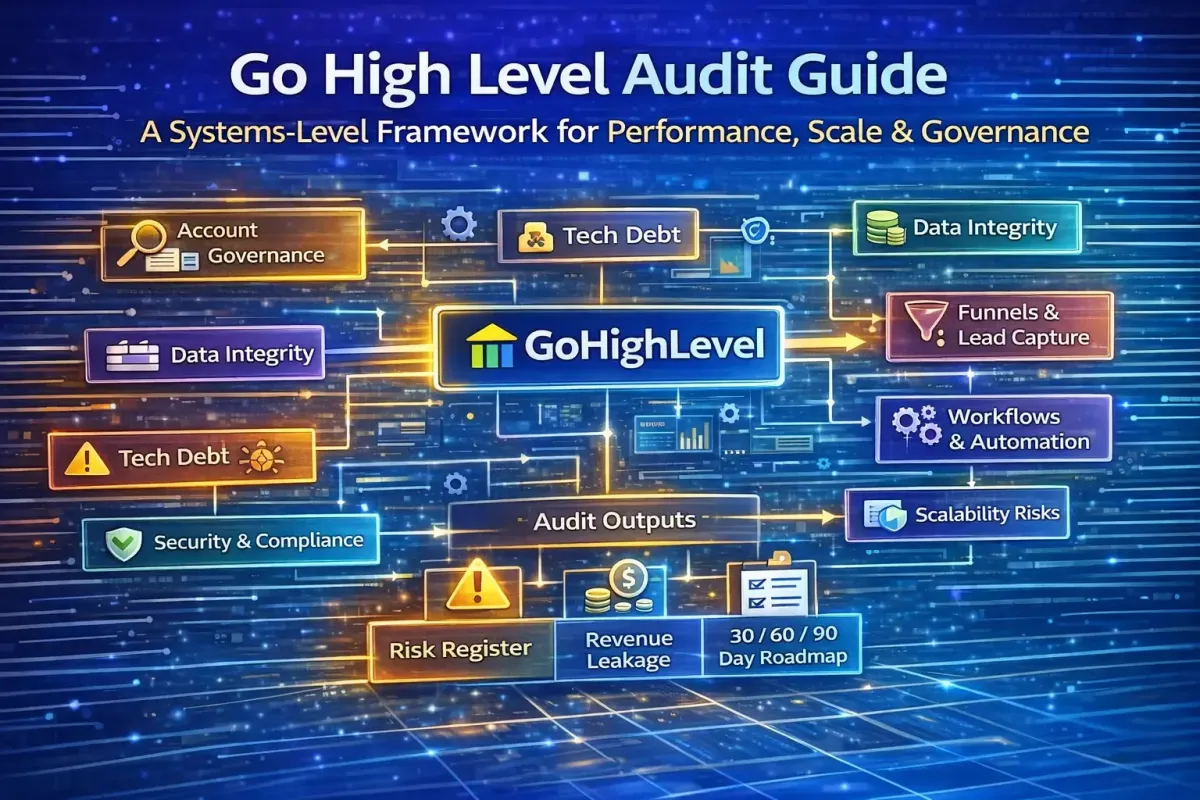
The Ultimate HighLevel Audit Guide
A Go High Level (GHL) audit is not a surface-level checklist, a feature walkthrough, or a critique of individual funnels in isolation. When performed correctly, it is a structured systems review of how an account is architected, how data flows through it, how automation behaves under real-world conditions, and whether the platform is genuinely supporting revenue growth—or quietly undermining it.
Most underperforming Go High Level accounts do not fail because the platform lacks capability. They fail because of poor operating models, fragmented data structures, unmanaged automation debt, and weak governance. These issues compound over time, creating “leaky buckets” where leads stall, tracking breaks, reporting becomes unreliable, and teams lose trust in the CRM.
This guide presents a repeatable, agency-grade audit framework designed to diagnose these issues with surgical precision. We will move beyond simple checklists and explore a strategic, 30-layer framework that evaluates the system from its foundational architecture to its commercial output. This is written from a RevOps, automation, and scale perspective, suitable for internal audits or productised client services.
What a GoHighLevel Audit Actually Is (and Is Not)
A professional GHL audit evaluates whether the platform is functioning as a revenue operating system, not just a marketing tool.
A Go High Level audit should answer five critical questions:
Is the account architected around a clear operating model?
Is the data clean, reliable, and decision-grade?
Do automations reduce friction—or hide it?
Can the system scale without compounding risk?
Does reporting reflect commercial truth rather than vanity metrics?
Audit Outputs: What You Should Deliver
A proper audit must produce tangible, decision-ready outputs. At minimum:
Risk register: what will break, when, and why
Efficiency gaps: duplication, manual work, latency
Automation debt map: fragile logic vs scalable logic
Data integrity scorecard
Prioritised remediation roadmap (30 / 60 / 90 days)
For agencies, this is what transforms an audit from a technical exercise into a commercial advisory product.
A Go High Level audit is not:
A list of toggles to turn on
A funnel design critique in isolation
A cosmetic review of dashboards
A “best practices” blog checklist

The Audit Framework: A 30-Layer Diagnostic
This framework is the core of the audit. It is organised into 30 distinct layers, moving from strategic alignment and foundational setup through to advanced optimisation and governance. Each layer includes specific items to inspect, common failure patterns, and corrective actions.
Phase 1: Strategic Alignment & Commercial Objectives (Layers 1-5)
Before reviewing a single setting, we must validate that the system is aligned with the business's core goals.
Layer 1: Business Objectives & North Star Metric
What to Inspect: Is there a documented "North Star" metric (e.g., monthly recurring revenue, lead-to-sale conversion rate, customer lifetime value)? Are growth targets (12-month and quarterly) defined?
Common Failure Patterns: The CRM is treated as a feature set with no connection to business outcomes. Teams measure activity (calls made, emails sent) instead of commercial results.
What “Good” Looks Like: Every configuration, workflow, and report can be tied back to a specific business objective. The success criteria for the CRM implementation are clear and documented.
Corrective Actions: Define the North Star metric. Map every major automation to a specific commercial outcome (e.g., "Workflow A exists to increase the lead-to-appointment rate by 10%").
Layer 2: Customer Journey Mapping
What to Inspect: Is the end-to-end customer journey (Lead → Customer → Retention) documented? Are key conversion points (enquiry, booking, purchase, renewal) identified?
Common Failure Patterns: The CRM only handles the top of the funnel. Once a lead becomes a customer, they fall into a black hole with no post-sale nurturing or upsell logic.
What “Good” Looks Like: A clear, documented journey map with defined lifecycle stages (Lead, MQL, SQL, Customer, Repeat, Churned) and clear ownership at each stage.
Corrective Actions: Redesign pipelines and automations to reflect the entire customer lifecycle, not just the sales process. Create workflows for onboarding, retention, and reactivation.
Layer 3: Offer & Revenue Model Alignment
What to Inspect: Are products/services and pricing structures defined in the system? Is the sales cycle length understood and reflected in pipeline stage durations?
Common Failure Patterns: Generic pipelines (e.g., "Lead," "Contacted," "Demo") that don't reflect how the business actually makes money. No distinction between high-value and low-value customers.
What “Good” Looks Like: Opportunities are tied to specific products with defined revenue values. Lead qualification criteria (e.g., BANT for B2B, readiness indicators for B2C) are documented and enforced via custom fields.
Corrective Actions: Build pipelines around revenue stages, not activity stages. Create custom fields for deal size, service type, and lead qualification status.
Layer 4: Internal Ownership & Accountability Model
What to Inspect: Is it clear who owns leads at each lifecycle stage? Who is accountable for data quality and automation maintenance?
Common Failure Patterns: "No one owns it" problems lead to data decay, broken workflows, and stale opportunities. Sales and marketing teams blame each other for poor performance.
What “Good” Looks Like: A documented ownership model. Role-based permissions are correctly assigned in HighLevel (e.g., Sales ≠ Marketing ≠ Ops). A single accountable account owner is defined.
Corrective Actions: Create a RACI chart for CRM domains (data, automation, reporting). Lock admin access to senior operators only. Implement user roles aligned to function.
Layer 5: KPI Framework & Commercial Benchmarks
What to Inspect: Are target conversion rates, response times, pipeline velocity, and revenue benchmarks defined?
Common Failure Patterns: Reporting exists, but there’s no understanding of what “good” looks like. The team has no clear targets to aim for.
What “Good” Looks Like: The CRM is measured against outcomes, not activity. Teams have clear performance expectations embedded in their dashboards.
Corrective Actions: Define a core KPI set (e.g., lead-to-appointment rate, appointment-to-sale rate, average time in stage). Build dashboards that track actual performance against these benchmarks.
Phase 2: Account Structure & Data Integrity (Layers 6-10)
With the strategic foundation set, we now audit the physical infrastructure that holds everything together.
Layer 6: Account Structure & Governance
What to Inspect: Agency vs. location separation, snapshot usage, naming conventions (pipelines, workflows, tags, fields), user roles, timezone, and currency.
Common Failure Patterns: Shared admin access, inconsistent naming (e.g., "New Lead," "new-lead," "lead_new"), workflows built directly in production with no versioning.
What “Good” Looks Like: Clear environment discipline (build → test → deploy). Version-controlled, documented snapshots. Enforced naming conventions platform-wide.
Corrective Actions: Define ownership per system domain. Introduce snapshot versioning and change logs. Enforce naming conventions (e.g., [Type][Function][Description]).
Layer 7: Contact & Data Architecture
What to Inspect: Custom fields (naming, types, usage frequency), tags vs. fields vs. opportunities, duplicate contact logic, required fields.
Common Failure Patterns: Tags used as permanent data storage. Multiple fields for the same concept (Budget, Monthly Budget, Spend). No deduplication rules.
What “Good” Looks Like: Fields = data, Tags = state. Single source of truth per data point. Dropdowns, radios, and validation for key inputs. Automated deduplication logic.
Corrective Actions: Rationalise custom fields into a controlled schema. Migrate “data tags” into proper fields. Implement phone/email-based dedupe workflows.
Layer 8: System Rules & Data Governance
What to Inspect: Duplicate management strategy, privacy and retention policies, consent tracking rules.
Common Failure Patterns: No policy on duplicates, leading to a bloated, unusable database. No consent fields for GDPR/CCPA. No data deletion process.
What “Good” Looks Like: Explicit matching criteria for duplicates (email/phone). GDPR-aligned retention policies. Clear audit trail of opt-in consent.
Corrective Actions: Configure duplicate detection rules. Implement consent fields and workflows. Define data retention and deletion rules.
Layer 9: Smart Lists & Operational Views
What to Inspect: Are there pre-defined smart lists (e.g., New Leads, Uncontacted Leads, Open Opportunities) that serve as daily work dashboards?
Common Failure Patterns: Users have to manually filter the contact list every day, wasting time and potentially missing critical tasks.
What “Good” Looks Like: Saved, pinned smart lists that combine lifecycle stage, tags, owner, and activity date, allowing users to see priority tasks immediately.
Corrective Actions: Create a standard set of smart lists for each user role. Ensure these lists are the default view for their daily workflow.
Layer 10: Data Migration & Import Integrity (If Applicable)
What to Inspect: How was legacy data imported? Was it cleaned of duplicates and formatting inconsistencies before import?
Common Failure Patterns: A "dump and pray" approach that brings years of junk data into the new system, corrupting reporting and automation from day one.
What “Good” Looks Like: Data was imported in batches, cleaned, and validated. Duplicate detection tools were run post-import to merge remaining duplicates.
Corrective Actions: If the import was messy, create a data cleanup project to standardise formats, remove invalid records, and merge duplicates.
Phase 3: Pipeline, Lifecycle & Lead Capture (Layers 11-15)
This is where revenue is generated and tracked. Leakage here is direct revenue loss.
Layer 11: Pipeline & Lifecycle Architecture
What to Inspect: Number of pipelines and their purpose, stage definitions, stage-based automation triggers, revenue attribution logic.
Common Failure Patterns: Pipelines reflecting internal teams rather than the customer lifecycle. Stages with no entry/exit criteria. Manual stage changes with no automation.
What “Good” Looks Like: One pipeline per business state (e.g., Sales Pipeline, Fulfilment Pipeline). Clear lifecycle semantics (Lead → MQL → SQL → Won/Lost). Stage changes trigger automation and reporting.
Corrective Actions: Redesign pipelines around lifecycle, not org chart. Define acceptance criteria per stage. Automate stage progression where possible.
Layer 12: Lead Qualification & Scoring Logic
What to Inspect: How are leads qualified? Is there a scoring system or logic to prioritise high-value opportunities?
Common Failure Patterns: All leads are treated equally, causing sales teams to waste time on unqualified prospects. Automation behaviour doesn't change based on lead quality.
What “Good” Looks Like: Defined qualification criteria (BANT, CHAMP, or custom). A scoring system (e.g., based on engagement, demographics, or firmographics) is implemented and used to route leads.
Corrective Actions: Implement lead scoring via custom fields and workflows. Create workflows that trigger different nurturing sequences based on score (e.g., high-score leads go to sales, low-score leads go to a long-term nurture).
Layer 13: Sales Velocity & Bottleneck Analysis
What to Inspect: Is there a way to measure time in each stage? Are SLAs for lead response and follow-up defined and tracked?
Common Failure Patterns: Deals get stuck in stages with no escalation rules. No one knows how long it should take to close a deal, so optimisation is impossible.
What “Good” Looks Like: Stage conversion rates and time-in-stage are tracked. Automation escalates stalled opportunities (e.g., sends an alert if a deal is in "Negotiation" for more than 7 days).
Corrective Actions: Build reports to identify bottlenecks. Implement automation to flag and escalate stalled opportunities.
Layer 14: Lead Capture & Inbound Systems
What to Inspect: Funnel inventory (live vs legacy), form field mapping, thank-you page logic, calendar booking flows, chat configuration.
Common Failure Patterns: Forms creating partial or duplicate contacts. Thank-you pages without automation triggers. No source or UTM capture. Calendars with double bookings.
What “Good” Looks Like: Clean, intentional URLs. Explicit field mapping on every form. Every submission triggers lifecycle logic. First-party tracking embedded at capture. Calendar booking flows tested end-to-end.
Corrective Actions: Rename and rationalise all live funnel paths. Standardise form templates. Ensure every conversion fires a tracking event. Implement consistent UTM capture.
Layer 15: Attribution & Source Tracking Framework
What to Inspect: UTM tracking, GCLID/FBCLID capture, source tracking for offline leads.
Common Failure Patterns: No standardised UTM structure. A high percentage of leads with an "unknown" source. No offline conversion tracking to feed back into ad platforms.
What “Good” Looks Like:A standardized UTM structure is in place and captured in contact records. First-touch and last-touch attribution are tracked. Offline sources are tracked via unique URLs/QR codes.
Corrective Actions: Define a company-wide UTM structure. Ensure all forms capture this data in hidden fields. Implement offline conversion tracking to send qualified lead data back to Google Ads and Facebook.
Phase 4: Automation, Communication & Deliverability (Layers 16-20)
This is where most value—and most risk—lives. Automation should be an engine, not a trap.
Layer 16: Workflow & Automation Logic
What to Inspect: Trigger logic and entry conditions, branching depth and complexity, stop rules, suppressions, re-entry logic, and error logs.
Common Failure Patterns: Multiple workflows firing on the same trigger. No “Stop on Response” in nurtures. Time delays mask weak logic. AI steps acting on incomplete data.
What “Good” Looks Like: One trigger = one responsibility. Event-driven logic over time delays. Explicit exits and suppressions. AI only after data validation.
Rule of thumb: If you cannot diagram a workflow on one page, it is too complex. Combining too many functions into one workflow is a single point of failure.
Corrective Actions: Consolidate overlapping workflows. Introduce naming and documentation standards. Add explicit stop and exit conditions. Refactor time-based logic into event-based logic.
Layer 17: Communication Infrastructure (SMS, Email, WhatsApp)
What to Inspect: Domain authentication (SPF, DKIM, DMARC), A2P 10DLC registration, SMS opt-out keywords, consent capture, frequency caps.
Common Failure Patterns: No authenticated sending domain. Same message copied across channels. No quiet hours or throttling. Over-automation without human oversight.
What “Good” Looks Like: Channel-appropriate messaging. Behaviour-based escalation. Deliverability monitoring. Human-in-the-loop safeguards. Opt-in and opt-out processes are fully implemented.
Corrective Actions: Authenticate all sending domains. Rewrite templates per channel. Introduce frequency caps and quiet hours. Audit consent capture points.
Layer 18: Exception Handling & Edge Cases
What to Inspect: What happens when a lead doesn’t respond to a sequence? What happens when a webhook fails?
Common Failure Patterns: Automations are built for the "happy path" only. When an exception occurs, the contact falls into a black hole or gets stuck in a workflow loop.
What “Good” Looks Like: Every workflow has a defined path for "no response" or "failure." Fallback logic is in place (e.g., after 5 no-responses, tag the contact and pause the sequence).
Corrective Actions: Audit all workflows and add paths for common exception scenarios. Ensure error handling is built into webhook configurations.
Layer 19: Help Desk & Inbox Management
What to Inspect: Connected inboxes, routing rules, canned responses, and SLA tags.
Common Failure Patterns: Support emails are not connected, leading to missed customer issues. No routing rules, so conversations get lost. Spam is not filtered.
What “Good” Looks Like: All relevant client email addresses are connected. Routing rules assign conversations to specific team members based on keywords. A library of canned responses exists for common questions.
Corrective Actions: Connect all missing inboxes. Implement routing rules. Create a library of canned responses. Set up tags to track ticket status (Urgent, Billing, etc.).
Layer 20: Deliverability & Sender Reputation
What to Inspect: Are bounce rates and spam complaints being monitored? Are there processes for cleaning invalid contacts?
Common Failure Patterns: Hard bounces are ignored, leading to a degraded sender reputation. No process for handling spam complaints.
What “Good” Looks Like: Hard-bounced contacts are automatically tagged and removed from active sending lists. Spam complaints trigger a review process.
Corrective Actions: Implement workflows to tag and suppress hard-bounced contacts. Create a report to monitor deliverability metrics.

Phase 5: Integrations, Reporting & Advanced Optimisation (Layers 21-25)
This phase ensures the system is a connected, intelligent hub for business growth.
Layer 21: Integrations & Data Sync
What to Inspect: Native integrations (Google Ads, Facebook, Stripe), third-party integrations (Zapier/Make), API/webhook functionality.
Common Failure Patterns: Native integrations are disconnected or have expired tokens. Zapier scenarios are broken or redundant. Webhooks are firing incorrectly.
What “Good” Looks Like: All native integrations are active and connected. Zapier/Make scenarios are documented and monitored for errors. Data mapping is verified across platforms.
Corrective Actions: Re-authenticate all native integrations. Audit Zapier/Make tasks for failures. Validate webhook URLs and payloads.
Layer 22: Conversion Tracking & CRM-Ads Feedback Loops
What to Inspect: Where is AI used and why? Offline conversion tracking. CRM ↔ Ads feedback loops.
Common Failure Patterns: AI acting on junk or incomplete data. No attribution hierarchy. Google Ads optimised on low-quality leads. No closed-loop reporting.
What “Good” Looks Like: AI amplifies clean systems only. Offline conversions mapped to revenue stages. Ads optimised on outcomes, not clicks. CRM is the attribution authority.
Corrective Actions: Gate AI actions behind data validation. Implement offline conversion tracking. Align CRM stages with ad conversions. Remove vanity conversions from ad platforms.
Layer 23: Reporting & Decision Support
What to Inspect: KPI definitions and ownership, dashboard accuracy, lag between action and insight, metric consistency.
Common Failure Patterns: Vanity metrics only (opens, clicks). Manual reporting exports. Conflicting numbers across dashboards. No revenue attribution.
What “Good” Looks Like: One owner per KPI. Lifecycle-based reporting. Automated dashboards. Revenue-first measurement.
Corrective Actions: Define a core KPI set. Rebuild dashboards around decisions, not data. Eliminate redundant reports. Tie reporting directly to the pipeline and revenue.
Layer 24: Customer Lifecycle Expansion (Post-Sale)
What to Inspect: Onboarding workflows, service delivery stages, retention and reactivation logic, upsell/cross-sell triggers.
Common Failure Patterns: The CRM stops being used once a lead becomes a customer. No system exists for onboarding, retention, or increasing customer value.
What “Good” Looks Like: The CRM is a revenue expansion engine. There are dedicated workflows for onboarding new customers, re-engaging dormant ones, and identifying upsell opportunities.
Corrective Actions: Create a separate fulfilment/delivery pipeline. Build automated onboarding sequences. Create workflows to identify customers who are due for a renewal or an upsell.
Layer 25: Security, Compliance & Access Control
What to Inspect: User access levels, consent tracking, data retention policies, and audit logs.
Common Failure Patterns: Everyone is admin. No consent fields. No data deletion process. Shared logins.
What “Good” Looks Like: Least-privilege access. Explicit consent capture. GDPR-aligned retention policies. Regular access audits. Two-factor authentication (2FA) is enforced.
Corrective Actions: Revoke unnecessary access. Implement consent fields and workflows. Define data retention rules. Schedule quarterly access reviews.
Phase 6: Scalability, Governance & Future-Proofing (Layers 26-30)
The final phase ensures the system is built to grow without breaking.
Layer 26: System Cleanliness & Technical Debt
What to Inspect: Unused workflows, duplicate tags, old pipelines, and naming conventions.
Common Failure Patterns: The account is a "digital landfill" of old, broken, or unused assets. This makes it difficult to find anything and increases the risk of accidentally triggering outdated automations.
What “Good” Looks Like: A clean account with a logical folder structure. All assets have clear, descriptive names. Unused assets are archived or deleted.
Corrective Actions: Conduct a redundancy audit. Remove unused workflows, duplicate tags, and archive old pipelines. Enforce a folder structure and naming convention.
Layer 27: Documentation & Knowledge Transfer
What to Inspect: Is there documentation of field definitions, tag structure, pipeline logic, and automation diagrams?
Common Failure Patterns: The system is a "black box" understood by only one person. When that person leaves, the business loses the knowledge of how its CRM works.
What “Good” Looks Like: A centralised document or wiki containing all system documentation. Screen recordings demonstrating key daily tasks are available.
Corrective Actions: Create a system diagram mapping data flow and automation logic. Document all naming conventions and field definitions. Create training videos for key user roles.
Layer 28: Change Management & Iteration Framework
What to Inspect: How are changes requested and approved? How are updates tested before deployment?
Common Failure Patterns: Ad hoc changes are made directly in production, often breaking the system. There’s no testing environment or approval process.
What “Good” Looks Like: A formal process for change requests. A snapshot-first mindset with a clear build → test → deploy environment discipline.
Corrective Actions: Define a process for requesting and approving system changes. Use snapshots to create a sandbox environment for testing all significant updates before pushing them to production.
Layer 29: Scalability & Future-Proofing
What to Inspect: Snapshot portability, workflow modularity, documentation quality, and team onboarding friction.
Common Failure Patterns: Hard-coded values everywhere. Client-specific logic embedded globally. No testing framework.
What “Good” Looks Like: Modular, reusable workflows. A snapshot-first mindset. Documented SOPs. Measured automation ROI.
Corrective Actions: Refactor workflows into reusable modules. Externalise variables where possible. Document all core systems. Introduce testing and review cycles.
Layer 30: CRM Operating Model (Daily Use)
What to Inspect: What do users do daily inside the CRM? How are leads worked each day? How do managers review performance?
Common Failure Patterns: The CRM is seen as an administrative burden or a "system that exists in the background." It's not integrated into daily workflows.
What “Good” Looks Like: The CRM is the central hub for daily operations. Sales teams start their day by viewing their smart lists. Managers review dashboards in their daily stand-up. The system is not just a tool; it's the way work is done.
Corrective Actions: Define the "daily 15 minutes" for each user role (e.g., check smart list, follow up with new leads, update opportunity stages). Embed dashboards into regular team meetings.
Prioritisation Framework (Recommended)
After completing the 30-layer audit, you'll have a long list of findings. The next step is to prioritise them for action. Score each issue on:
Impact(revenue or risk) - High, Medium, Low
Effort- High, Medium, Low
Urgency- High, Medium, Low
Then group into:
Tier 1 (Next 7–14 Days): Critical fixes. Broken flows, tracking failures, security risks, compliance issues, and any active revenue leakage.
Tier 2 (Next 30–60 Days): Structural improvements. Pipeline redesign, workflow refactoring, dashboard rebuilds, and data cleanup projects.
Tier 3 (Next 90+ Days): Optimisation and scaling. Experimentation, advanced segmentation, AI expansion, and complex integrations.
Each item in the roadmap must have:
Owner(Who is responsible for executing it?)
Deadline(When will it be completed?)
Success Metric(How will we measure that it's been successfully implemented and is delivering value?)
Conclusion
Go High Level is not limited by features. It is limited by intentional design.
High-performing GHL accounts share the same traits: disciplined architecture, clean data, explicit ownership, and automation that supports real business processes rather than compensating for weak ones.
AI will only amplify whatever foundation it is placed on. Clean logic scales. Messy logic compounds risk.
A strong audit does not just identify what is broken—it clarifies what the system is optimised for. When performed correctly, a Go High Level audit becomes a strategic lever for performance, governance, and sustainable scale—not just a technical exercise.
By using this 30-layer framework, you move beyond a simple checklist. You perform a commercial diagnostic that identifies the root causes of underperformance and provides a clear, prioritised roadmap to transform a GHL account from a source of technical debt into a reliable, scalable revenue engine.