
HighLevel Attribution Tracking - Reporting for Marketing
Generating a lead is only the beginning of marketing measurement. The more important question is what happens after the initial enquiry: did the lead become qualified, book an appointment, accept a quote or generate revenue?
HighLevel attribution tracking connects marketing activity with CRM outcomes. It can record where a contact came from, retain first- and latest-touch attribution, associate the person with opportunities and revenue, and send meaningful conversion events back to advertising platforms.
This produces a much more useful measurement system than counting form submissions in Google Analytics or relying only on the conversion reports inside an individual advertising platform.
It also extends beyond online conversions. HighLevel can record forms, surveys, calendar bookings and chat enquiries, but it can also connect marketing with telephone calls, missed calls, inbound SMS, WhatsApp conversations, qualified leads, accepted quotes and sales. These later CRM events can improve internal reporting and be sent back to advertising platforms as offline conversions.
The objective is not simply to identify which channel generated the most leads. It is to identify which campaigns, adverts and keywords generated the best customers—and use that evidence to improve marketing measurement and optimisation.
What is HighLevel attribution tracking?
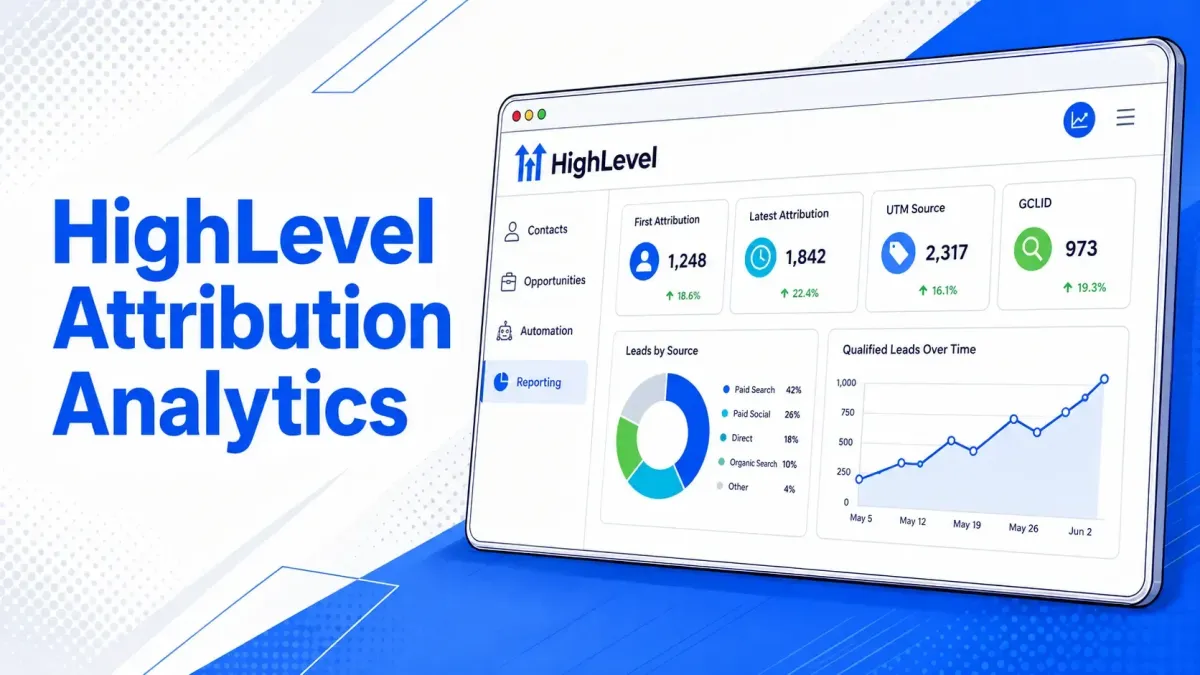
Attribution is the process of assigning a lead, opportunity or sale to the marketing interaction that contributed to it. HighLevel stores both First Attribution and Latest Attribution on contact records. First Attribution represents the contact’s earliest recorded interaction; Latest Attribution represents the most recent qualifying interaction and can change when another tracked conversion occurs. HighLevel’s attribution documentation confirms that both are retained on the contact.
This matters because a customer journey is rarely limited to one session. A prospect might:
Discover the business through an organic Google search.
Return through a Facebook remarketing advert.
Click a Google Search advert several days later.
Submit a quote request.
Speak to the business by telephone or WhatsApp.
Book an appointment and later become a customer.
First-touch attribution explains how the relationship began. Latest-touch attribution helps identify the interaction that preceded the recorded conversion. Neither tells the entire story alone, but together they provide a stronger view than a single “lead source” field.
HighLevel attribution is not the same as the Contact Source field
HighLevel contains several related data points that should not be treated as interchangeable.
HighLevel’s reporting documentation distinguishes the raw contact Source from the attribution-level Session Source. Source normally describes the record’s creation source, while Session Source describes the traffic channel attached to the converting session. HighLevel explains this distinction in its Contacts reporting guide.
For this reason, replacing all attribution data with a single source field creates ambiguity. A well-designed CRM retains the original platform data and then adds normalised reporting fields where required.

The main attribution channels in HighLevel
HighLevel classifies tracked contacts into broad session-source categories. These categories are useful for channel-level reporting, but they are not sufficiently granular for campaign optimisation. Two contacts can both be classified as Paid Search while coming from different accounts, campaigns, ad groups, adverts and keywords. This is where UTMs, click IDs and CRM custom fields become important.

UTM parameters in HighLevel
UTMs are query-string parameters added to a destination URL. They provide consistent campaign labels that can be read by HighLevel, analytics tools and other marketing systems.
The five standard UTM parameters are:
ParameterRecommended purposeExampleutm_sourcePlatform, publisher or traffic sourcegoogle, facebook, linkedinutm_mediumMarketing channel or delivery methodcpc, paid_social, emailutm_campaignStable campaign name or identifierroof_repair_cornwallutm_contentAdvert, creative, link or variationtestimonial_video_01utm_termKeyword or audience detailemergency_roofer
UTM values should be planned as a naming system, not improvised advert by advert. Use lowercase values, a consistent separator and stable names. Avoid creating several variations such as facebook, Facebook, fb and meta, because reporting tools will treat them as separate values.
A Google Ads landing-page URL might eventually resolve to something similar to:
https://example.co.uk/quote/?utm_source=google&utm_medium=cpc&utm_campaign=roof_repair&utm_content=text_ad_01&utm_term=emergency_roofer
Advertising-platform tracking templates can also insert dynamic values such as campaign ID, ad group ID, creative ID, keyword, network, device and match type. IDs are generally more durable than names because campaign names can be edited.
Click IDs: GCLID, GBRAID, WBRAID, MSCLKID and FBCLID
UTMs describe the campaign using readable labels. Click IDs identify a specific advertising interaction and are normally generated automatically by the advertising platform. Google requires exactly one applicable click identifier—GCLID, GBRAID or WBRAID—for a click-based offline conversion upload. Google’s API documentation confirms that these identifiers should not be combined on the same conversion record. Google also recommends Enhanced Conversions for Leads, which supplements click matching with consented first-party data such as hashed email addresses and telephone numbers.
For Microsoft Advertising, auto-tagging adds the MSCLKID to the landing-page URL. Microsoft uses this identifier for offline conversion matching. Microsoft’s conversion documentation confirms that offline conversion imports and related adjustments rely on the MSCLKID.
An important implementation principle follows: do not rely on UTMs as a substitute for click IDs. UTMs are excellent for CRM reporting, but an advertising platform normally needs its own identifier or eligible first-party customer data to match a later CRM event back to an advert interaction.

Which attribution values can HighLevel retain?
HighLevel exposes first- and latest-attribution values including session source, landing URL, campaign, UTM source, UTM medium, UTM content, referrer, campaign ID, Facebook click ID, Google click ID, UTM keyword, match type, ad group ID and ad ID. These values are available through HighLevel attribution merge fields as well as in relevant contact and reporting contexts. HighLevel publishes its attribution merge fields here.
However, these system attribution values are not always as visible or operationally convenient as normal contact fields. They can appear within the attribution area of an individual contact, but a user may also want to compare them across the Contacts index page without opening every record.
For this reason, it can be sensible to create a controlled set of custom contact fields such as:
First UTM Source
First UTM Medium
First UTM Campaign
First UTM Content
First UTM Term
Latest UTM Source
Latest UTM Medium
Latest UTM Campaign
GCLID
GBRAID
WBRAID
MSCLKID
FBCLID
Campaign ID
Ad Group ID
Ad ID
First Landing Page
Latest Landing Page
Original Referrer
A workflow can read HighLevel’s hidden first- or latest-attribution values and save them into these ordinary custom fields. The fields can then be displayed as columns on the Contacts index page or within a Smart List, making source, medium, campaign, landing page and click IDs visible across multiple records.
These fields do not replace HighLevel’s system attribution. They create a visible, auditable layer that can be used in filters, workflows, exports and reporting. They can also be copied to associated opportunity or company-object fields when the same attribution needs to support pipeline, revenue or account-level reporting.
The contact should normally remain the source of truth for the person’s acquisition history. The opportunity can retain the attribution relevant to a particular transaction, while the company object can support B2B reporting where several contacts belong to the same organisation.
How HighLevel captures attribution
HighLevel’s strongest native attribution occurs when a visitor completes a tracked conversion event during the same browser session. These events include:
HighLevel form or survey submissions
Calendar bookings
Chat Widget contact submissions
One-step or two-step order forms
Tracked calls through a HighLevel number pool
HighLevel can also store later communication and CRM activity against the contact, including answered or missed calls, voicemails, inbound SMS, WhatsApp messages, email replies, appointments, quotes and payments.
These later activities do not necessarily create a new website-attribution session. Instead, they extend the customer journey already stored in the CRM. For example, a missed call or incoming WhatsApp message can be an important lead event, but it should only be assigned to a paid campaign where there is a reliable connection through the contact, tracking number, click data or original attributed session.
HighLevel External Tracking and analytics for WordPress
A business does not need to host its website inside HighLevel to use HighLevel attribution and analytics.
HighLevel’s External Tracking script can connect activity on third-party websites with the CRM. Its Analytics for External Tracking area provides reporting for websites and forms hosted outside HighLevel, including sites built with WordPress, Shopify, Wix or a custom framework. HighLevel’s external analytics documentation explains how the script sends visitor activity into a dedicated analytics dashboard.
HighLevel can also detect and capture supported DOM-based forms on external websites, create or update the contact, and retain UTMs, page URLs and session data. HighLevel documents external form tracking here, including common WordPress forms and conventional HTML forms.
An alternative is to embed a HighLevel form directly into a WordPress page. This keeps the main website in WordPress but uses a native HighLevel form as the conversion point.
Neither approach should be assumed to work without testing. JavaScript-heavy forms, iframes, unusual field structures, consent blockers, redirects and cross-domain journeys can break the connection between the original visit and the CRM submission.
For a third-party website, verify the complete path:
A test visitor lands with known UTMs and a test click identifier.
The browser retains the parameters through any page navigation.
The form or booking creates the intended contact rather than a duplicate.
First and Latest Attribution appear on the contact.
The required custom fields contain the expected raw values.
The correct opportunity is created or updated.
The downstream advertising conversion receives the correct identifier, timestamp and value.

HighLevel telephone-call attribution
Telephone calls are often a major blind spot in lead-generation reporting. Google Ads call tracking can report calls associated with Google, but it does not provide a channel-neutral CRM record of calls generated by organic search, Microsoft Ads, Meta, referrals or other sources.
HighLevel number pools use dynamic number insertion. A visitor is shown a tracking number from a pool, the call is routed to the business, and the resulting telephone activity can be connected with the visitor’s tracked session. HighLevel describes number pools as a method for attributing calls from designated landing pages and websites.
The strategic advantage is that the telephone number becomes a contact inside the CRM. The business can then measure the journey beyond the initial call: whether the call was answered or missed, whether the person replied to a follow-up SMS or WhatsApp message, whether the lead was qualified, and whether it produced an appointment, quote or sale.
HighLevel can automatically send a text message after a missed inbound call through Missed Call Text Back. It can also use Missed Call WhatsApp Back where WhatsApp is configured. These features help recover enquiries that might otherwise be lost while retaining the subsequent conversation inside the CRM.
A raw connected call should not automatically be treated as a qualified lead. Calls can include existing customers, suppliers, wrong numbers, missed calls and low-intent enquiries. A better conversion hierarchy is:

This gives advertising algorithms signals based on business value rather than communication volume.
Forms, calls, messages and other lead sources
Different lead-entry methods provide different levels of attribution fidelity.
If an external form sends only name, email and telephone number through a webhook, HighLevel cannot reconstruct the visitor’s complete advertising journey afterwards. The attribution parameters must be captured in the browser and submitted with the lead, or recorded through HighLevel’s supported External Tracking.
Inbound SMS and WhatsApp require similar care. The message might originate from an advert, a website telephone button, Google Business Profile, a printed vehicle or an existing customer conversation. HighLevel can store the message and later outcome, but the original source should only be assigned where the evidence supports it.

Online and offline conversion tracking in HighLevel
An online conversion happens during a directly tracked digital interaction, such as a form submission, chat enquiry, calendar booking, checkout or telephone-button click.
An offline conversion happens later in the CRM or sales process. “Offline” does not necessarily mean that the event involved no technology. It means that the commercially important outcome happened outside the original advertising click or website session.
Examples include:
A telephone enquiry being marked as qualified
A missed call developing into an SMS or WhatsApp conversation
An appointment booked by a member of staff
An opportunity moving to a qualified stage
A quote being accepted
An invoice being paid
A deal being marked Customer Won with revenue
HighLevel can connect these later outcomes with the contact’s original acquisition data. A workflow can then send an appropriate event back to the advertising platform as an offline conversion or server-side CRM event.
This improves marketing in two ways. First, it improves reporting by connecting advertising cost with qualified leads, appointments, customers and revenue. Second, it improves optimisation by giving advertising platforms better conversion signals than the initial enquiry alone.
Sending HighLevel CRM conversions back to Google Ads
The most valuable use of CRM attribution is not reporting alone—it is optimisation.
HighLevel workflows can send Google Ads offline conversion events when a contact reaches a meaningful business milestone. HighLevel supports offline conversion actions and can create and manage them inside Ad Manager. HighLevel’s current Ad Manager documentation describes conversion actions for outcomes such as qualified leads, appointments and closed deals.
A practical conversion structure might include:
Lead Created — secondary or low-value primary during early data collection
Qualified Lead — primary
Appointment Booked — primary where it represents real intent
Quote Accepted — primary with conversion value
Customer Won — primary with actual revenue
The exact structure depends on lead volume. A small account may not generate enough sales for an automated bidding strategy to learn from Customer Won alone. In that case, Qualified Lead or Appointment Booked can provide an earlier but still commercially meaningful optimisation signal.
Avoid marking every micro-action as primary. If button clicks, calls, messages, form submissions, appointments and sales are all primary goals, the campaign can optimise towards whichever action is easiest rather than whichever action produces revenue.
Google increasingly recommends Enhanced Conversions for Leads, which combines click identifiers with consented first-party data. This is more durable than relying only on a GCLID, particularly across browsers, devices and privacy-restricted environments. It reinforces why accurate email addresses and telephone numbers in HighLevel are measurement assets, not merely contact details.
Sending CRM events to Meta and other advertising platforms
Meta measurement should normally combine browser-side Pixel events with server-side Conversions API events. The browser event provides web-session context; the server event can report later CRM outcomes such as a qualified lead, booked appointment or completed purchase.
HighLevel workflows can send Meta Conversions API actions. Meta then attempts to match the event using identifiers such as email, telephone number, browser/click data and other eligible customer information. Match quality depends on the accuracy and completeness of the data, not simply on whether an event was sent. Meta’s Event Match Quality guidance explains how customer-information parameters affect matching.
Where the same event is sent from both browser and server, use consistent event names and event IDs so the platform can deduplicate it rather than count it twice.
Microsoft Advertising also supports offline conversions using the MSCLKID. For platforms without an appropriate native HighLevel workflow action, the same CRM design still applies: retain the platform identifier and consented first-party data, then send the downstream event through a supported integration, server-side API or controlled upload process.
First-touch, latest-touch and lifecycle attribution
Attribution models answer different questions. HighLevel’s native First and Latest Attribution fields are a strong operational starting point. For more complex reporting, retain a lifecycle history rather than repeatedly overwriting one source field. Workflow timestamps can record events such as Marketing Qualified Lead, Sales Qualified Lead, Appointment Booked, Quote Sent, Customer Won and Revenue Received.
This creates a useful separation between acquisition attribution and commercial progression.

Reporting with contacts, opportunities and revenue
Contact reporting answers which sources generate people. Opportunity reporting answers which sources generate pipeline and revenue.
HighLevel custom dashboard widgets can filter and group contact and opportunity reporting using First or Latest Attribution and fields such as session source and medium. HighLevel documents these attribution filters, including their use in tables, charts and exports.
A useful attribution dashboard should compare:
Leads by channel and campaign
Qualified leads by channel and campaign
Cost per lead
Cost per qualified lead
Appointments and appointment rate
Opportunities and pipeline value
Customers and conversion rate
Revenue, cost per acquisition and return on advertising spend
First-touch source versus latest-touch source
This often reveals that the cheapest lead source is not the most profitable. One campaign may generate a large number of low-quality enquiries, while another produces fewer leads but more appointments, sales and revenue.
HighLevel analytics is particularly useful because the reporting can remain connected with the underlying contact, conversation, opportunity and company records. A user can move from an aggregated result to the CRM records that produced it.
Why attribution becomes Direct Traffic or Unknown
Direct Traffic is not always a person typing the website address into a browser. It is also a fallback category used when the system cannot identify a referrer or campaign.
Common causes include:
Missing or inconsistent UTMs
Redirects that remove query parameters
Cross-domain journeys without suitable tracking continuity
Cookie rejection or consent configuration
Ad blockers and browser privacy restrictions
Visitors switching devices or browsers
Links opened from applications that do not pass referrer data
Forms inside iframes
External forms that submit without attribution parameters
Contacts created through integrations, imports or manual entry
Duplicate contacts that split one customer journey across several records
Attribution can be improved, but it cannot be made perfect. The correct objective is a consistent, auditable measurement system with known limitations—not a claim of 100% tracking accuracy.

Store hidden HighLevel attribution values in custom fields
HighLevel automatically stores First Attribution and Latest Attribution against the contact record. These system values can include the session source, landing URL, referrer, campaign, UTM parameters, campaign ID, ad group ID, advert ID, keyword, match type, GCLID and FBCLID.
They are not completely hidden: HighLevel displays them within the individual contact’s attribution panel and exposes them through attribution merge fields. However, they do not always behave like ordinary custom fields that can be conveniently displayed, filtered and managed across the main Contacts list.
A workflow can solve this by reading the system attribution values and saving them into normal contact custom fields.
First, create an Attribution Tracking folder under Settings → Custom Fields. Depending on the reporting requirements, this might contain:
First UTM Source
First UTM Medium
First UTM Campaign
First UTM Content
First Landing Page
First Referrer
Google Click ID
Latest UTM Source
Latest UTM Medium
Latest UTM Campaign
Latest Landing Page
The workflow should run after a tracked conversion event, such as a HighLevel form submission, survey submission, calendar booking or another event that records attribution. Add a condition confirming that the required attribution value is not empty before updating the custom fields.
The Update Contact Field workflow action can then write dynamic system values into the corresponding custom fields. HighLevel confirms that this action can write dynamic values into standard or custom contact fields. A typical mapping might include:

The First Attribution fields should normally be populated only when the corresponding custom field is empty. This prevents a later interaction from overwriting the original acquisition source.
Latest Attribution fields can be updated whenever HighLevel records another qualifying interaction. This provides two different reporting perspectives:
First Attribution shows how the relationship originally started.
Latest Attribution shows the most recent tracked interaction before the conversion.
After the workflow saves these values, the custom fields can be added as columns on the Contacts index page or within a Smart List. Marketing and sales users can then compare attribution across multiple records without opening every contact individually. HighLevel’s current Smart List documentation confirms that fields can be shown and reordered as list columns.
Selected attribution values can also be copied to associated opportunity or company fields. This is useful when attribution must remain connected with a specific transaction, pipeline or B2B account.
For example, the contact may retain the person’s complete acquisition history, while the opportunity records the source, campaign and click ID associated with that particular commercial opportunity. The company object can store account-level attribution where several contacts belong to the same organisation.
This copy should normally occur when the opportunity is created, qualified or associated with the company. It creates an attribution snapshot before the contact’s Latest Attribution changes again.
The custom fields do not replace HighLevel’s native attribution system. The native First and Latest Attribution values remain the source data; the custom fields create a more visible and operational reporting layer for:
Contacts-list columns
Smart List filtering
Workflow conditions
Opportunity reporting
Company-level reporting
Exports and external dashboards
Google Ads offline conversion workflows
Marketing quality and revenue analysis
This approach turns attribution from information visible on one contact at a time into structured CRM data that can be used throughout HighLevel.
A recommended HighLevel attribution architecture
A robust implementation uses several complementary layers.
Tracking layer: Install HighLevel External Tracking on third-party websites such as WordPress where required, plus the relevant Google, Meta, Microsoft and analytics tags through an appropriate consent-management process.
URL layer: Apply consistent UTMs and preserve auto-tagging identifiers such as GCLID and MSCLKID.
Capture layer: Use HighLevel forms, calendars, chat and number pools where appropriate, or thoroughly test supported external forms.
CRM layer: Retain native First and Latest Attribution and use workflows to save important hidden values into controlled custom fields.
Record layer: Display useful attribution fields on the Contacts index page and copy the required values to associated opportunity and company records.
Opportunity layer: Connect leads with qualification, pipeline stages and monetary values.
Feedback layer: Send qualified leads, appointments, accepted quotes and sales back to advertising platforms as distinct conversion events.
Reporting layer: Compare traffic, leads, conversations, qualified opportunities, customers and revenue—not just enquiry totals.
Quality-assurance layer: Test every channel and conversion path using known parameters, then periodically audit missing attribution and duplicate records.
The CRM should reflect how the business actually makes money. Fields should store durable facts and identifiers; tags should represent states, categories or automation controls; opportunity stages should represent commercial progress.
HighLevel attribution tracking checklist
Before relying on the reports, confirm that:
Auto-tagging is enabled in Google Ads and Microsoft Advertising.
UTMs use a documented naming convention across every channel.
Redirects preserve query parameters.
HighLevel tracking is installed on every relevant website and landing page.
External Tracking and analytics are configured for third-party sites such as WordPress where required.
Forms, calendars, chat widgets and telephone-number swapping have been tested.
Missed calls, inbound SMS and WhatsApp conversations enter the correct contact records and workflow paths.
First and Latest Attribution appear on test contacts.
GCLID, GBRAID, WBRAID, MSCLKID and other required identifiers are retained where applicable.
Important hidden attribution values are saved into custom fields and displayed on the Contacts index page.
Required attribution fields are copied to opportunity or company records at the correct stage.
Duplicate contact creation is controlled.
Contact attribution can be connected with the correct opportunity.
Pipeline stages and qualification criteria are used consistently.
Only commercially meaningful goals are set as primary advertising conversions.
Revenue and currency values are passed where appropriate.
Browser and server events are deduplicated.
Consent signals and privacy notices reflect the tracking in use.
Reports are checked against calls, messages, form submissions, appointments and closed sales.
Final thoughts
HighLevel attribution tracking is most powerful when it is treated as part of the CRM architecture rather than as a standalone marketing report.
UTMs explain the campaign. Click IDs connect CRM outcomes back to advertising interactions. First and Latest Attribution describe different stages of the journey. External Tracking extends analytics to third-party websites such as WordPress. Forms, telephone calls, missed calls, SMS and WhatsApp capture enquiries and conversations that conventional website analytics can miss. Opportunities and revenue show whether those interactions produced commercial value.
Offline conversion and server-side feedback then improve advertising-platform reporting and help campaigns optimise towards better leads and customers.
The result is a closed-loop measurement system:
Traffic or enquiry → Contact → Qualified Lead → Opportunity → Customer → Revenue → Advertising Optimisation
That is the difference between tracking activity and measuring business growth.