
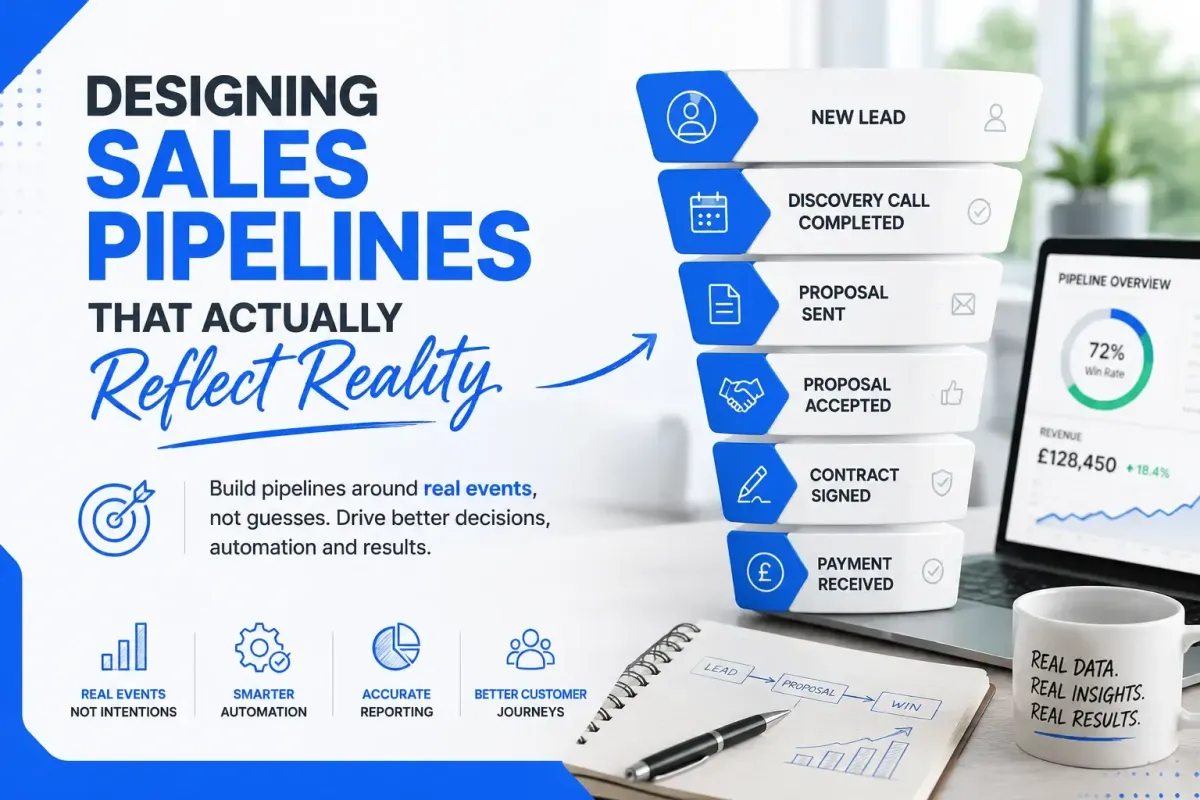
Designing HighLevel Sales Pipelines That Actually Reflect Reality
Many businesses spend countless hours optimising their marketing, building automations and integrating AI, only to undermine everything with a poorly designed sales pipeline.
It is surprisingly common to see pipelines that bear little resemblance to what actually happens in the business. Opportunities jump backwards and forwards, stages are vague, automations become unreliable, and reporting becomes meaningless.
A sales pipeline should not be a wish list of what you hope happens. It should be an accurate representation of reality.
This is particularly important in HighLevel, where the pipeline is no longer just a visual sales board. It is connected to workflows, reporting, AI, customer communications, appointments, payments and every other part of your CRM.
The better your pipeline reflects reality, the easier it becomes to automate your business.
The Purpose of a Sales Pipeline
A sales pipeline answers one simple question:
What has already happened with this opportunity?
Notice that it is not asking what you hope will happen next.
That distinction changes everything.
Many CRMs are filled with stages such as:
Call Scheduled
Waiting For Customer
Needs Chasing
Follow Up
Interested
These often describe intentions rather than completed milestones.
Instead, your stages should represent events that have already occurred.
For example:
New Lead
Discovery Call Booked
Discovery Call Completed
Proposal Sent
Proposal Accepted
Contract Signed
Payment Received
Project Started
Project Completed
Each stage represents something objectively true. There is very little room for interpretation.

Why Past Tense Matters
One of the biggest improvements you can make is naming your pipeline stages in the past tense.
Instead of:
Proposal
Quote
Discovery Call
Appointment
Use:
Proposal Sent
Quote Sent
Discovery Call Completed
Appointment Confirmed
Why?
Because every stage instantly tells you exactly where the opportunity currently is.
Imagine looking at your pipeline and seeing twenty opportunities in "Quote Sent."
Immediately, you know:
The quote has been delivered.
The customer now needs to make a decision.
No one has to remember whether the quote still needs writing or emailing.
The CRM already tells you.
Every Stage Should Trigger Something
Modern CRMs such as HighLevel are no longer just databases.
They are automation platforms.
That means every stage should potentially trigger actions.
For example:
Discovery Call Booked
Send confirmation email
Send SMS reminder
Create a calendar appointment
Notify salesperson
Discovery Call Completed
Generate proposal
Create a follow-up task
Send a thank you email
Proposal Sent
Start follow-up workflow
Wait three days
Check whether the proposal is accepted
Notify the sales manager if no response
Client Won
Move into the onboarding pipeline
Create onboarding tasks
Generate invoices
Send welcome emails
Notify the delivery team
If your pipeline accurately reflects reality, automation becomes incredibly simple.
Your Pipeline Is Not Your Task List
This is where many businesses make mistakes.
They use pipeline stages for reminders.
Examples include:
Call Tomorrow
Waiting
Chase Again
Needs Attention
These are tasks.
They are not sales stages.
Tasks belong in:
Task management
Workflow reminders
Follow-up sequences
AI assistants
Calendar events
Your pipeline should remain focused on customer progress.
Otherwise, reporting quickly becomes meaningless.

Separate Customer Journey From Internal Work
Imagine a quotation has been sent.
The customer has not replied for a week.
Some businesses move them into:
"Needs Follow Up"
Others create:
"Waiting"
Or
"No Response"
The problem?
Nothing has actually changed from the customer's perspective.
The latest completed milestone is still:
Quote Sent
The customer simply has not responded yet.
Instead of moving the pipeline, let workflows handle the follow-up.
For example:
Wait 3 days
Send reminder
Wait another 5 days
Send SMS
Notify salesperson
Create phone call task
The opportunity remains in Quote Sent because that is still the last thing that actually happened.
This creates much cleaner reporting.
Avoid Duplicate Information
Another common mistake is storing the same information in multiple places without syncing the records with workflows.
For example:
Pipeline says: Proposal Sent
A custom field says: Proposal Stage = Proposal Sent
A tag says: Proposal Sent
An opportunity note says: Proposal Sent
Now you have four separate places that all need updating.
Eventually, one becomes incorrect.
Instead, decide where the source of truth belongs.
Modern HighLevel implementations increasingly rely on structured custom fields as the current state of the business, with workflows keeping opportunities synchronised. Tags become more useful for historical events, categorisation or temporary automation rather than storing the current status.
When every piece of information has a single source of truth, your CRM becomes far easier to maintain.
Pipelines Should Measure Commercial Progress
Ask yourself: Can every stage be used to calculate conversion rates? For example:
New Lead ↓ Consultation Booked ↓ Consultation Completed ↓ Proposal Sent ↓
Proposal Accepted ↓ Client Signed ↓ Project Delivered ↓ Repeat Customer
Now management can instantly answer:
What percentage of leads book consultations?
What percentage of consultations become proposals?
What percentage of proposals become clients?
Which salesperson converts best?
Where do opportunities get stuck?
That is valuable reporting.
Don't Mix Sales With Delivery
Many businesses try putting everything into one enormous pipeline.
Eventually, it looks something like:
Lead
Quoted
Won
Booked
Engineer Assigned
Materials Ordered
Job Started
Invoice Sent
Review Requested
Customer Happy
At this point it is no longer a sales pipeline. It is attempting to track the entire business.
Instead, use multiple pipelines.
For example: Sales Pipeline
New Lead
Discovery Call Booked
Proposal Sent
Client Won
Onboarding Pipeline
Documents Received
Setup Started
Awaiting Client
Complete
Project Pipeline
Scheduled
In Progress
Quality Checked
Complete
Renewal Pipeline
Renewal Due
Renewal Offered
Renewed
Each pipeline has one clear purpose.
This keeps reporting accurately while making automation significantly easier.
Design Around Business Events
When building a CRM, think about business events.
Examples include:
Customer submitted an enquiry.
Quotation calculated.
Quotation sent.
Appointment booked.
Appointment attended.
Deposit paid.
Contract signed.
Job completed.
Invoice paid.
Review received.
These events happen regardless of software. Your CRM should simply record them.
Once you think in terms of events instead of screens, designing automations becomes much more logical.
Think Beyond Today's Process
One of the biggest advantages of HighLevel is that your CRM becomes the centre of your business.
Advertising generates leads.
AI qualifies enquiries.
Workflows automate communication.
Sales teams update opportunities.
Projects begin automatically.
Invoices are generated.
Reviews are requested.
Retention campaigns start.
Because everything is connected, today's pipeline decisions affect tomorrow's automation.
A well-designed pipeline makes future AI implementation dramatically easier because AI can understand exactly where every customer is within their journey.
A Practical Example
Imagine a carpet cleaning company using HighLevel.
Rather than creating stages such as:
Waiting
Follow Up
Needs Calling
Customer Thinking
Their sales pipeline could be:
New Enquiry
Quote Calculated
Quote Sent
Service Selected
Address Received
Booking Confirmed
Cleaning Completed
Notice how every stage represents something that has already happened.
Meanwhile, workflows automatically:
Follow up with customers who have not replied.
Send reminders before appointments.
Request missing information.
Generate invoices.
Ask for reviews after the clean.
Start repeat service campaigns months later.
The pipeline remains simple because the workflows handle the complexity.
Keep Humans and AI Working From the Same Truth
As AI becomes more deeply integrated into CRMs, consistency becomes even more important.
If a salesperson, an automation and an AI assistant all rely on different indicators to determine where a customer is in their journey, mistakes become inevitable.
Instead, ensure they all reference the same underlying business state.
When your stages represent real-world milestones, and your structured fields hold the current status, AI can make far better decisions. It can answer customer questions with greater context, trigger the correct workflows and provide more accurate forecasting because the data is consistent across the platform.
Final Thoughts
The best sales pipelines are often the simplest.
They do not attempt to manage every task. They do not predict the future. They do not contain reminders disguised as stages.
Instead, they record completed business events that everyone in the organisation can understand.
When you design your pipeline around reality rather than intention, reporting becomes trustworthy, automations become reliable and AI gains a consistent understanding of every customer journey.
HighLevel is no longer just a CRM. It has evolved into a relationship database, automation platform and AI operating system for your business. Designing a pipeline that accurately reflects reality is one of the most important architectural decisions you can make, because every workflow, report and AI interaction depends on that foundation.
A well-designed pipeline does more than organise opportunities.
It becomes the operational backbone of your entire business.