
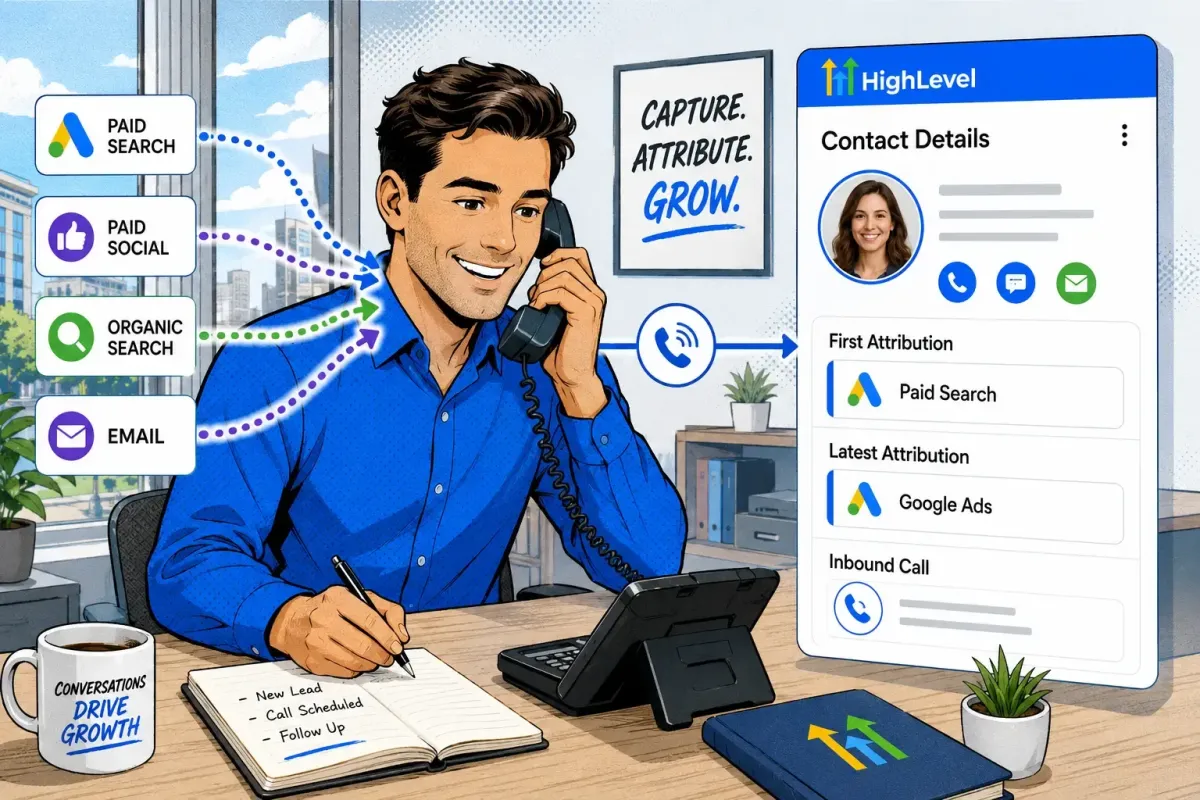
HighLevel Telephone Tracking and Cross-Channel Marketing Attribution
Telephone calls are among the most valuable conversions for service businesses, but they are also among the most difficult leads to attribute accurately.
A prospective customer might discover a business through Google Ads, Facebook or Instagram Ads, organic search, email marketing, organic social media, WhatsApp or a referral website. If that person subsequently telephones the business, the original marketing source can easily be lost.
HighLevel telephone tracking connects inbound calls with marketing channels, campaigns, landing pages and CRM contacts. It uses dedicated tracking numbers or dynamic number pools to replace the telephone number displayed on a website, helping the business determine what generated each call.
The caller can then be followed through qualification, appointment, opportunity and revenue. Meaningful outcomes can also be returned to advertising platforms as offline or server-side conversions.
What is Telephone Attribution?
Telephone attribution identifies the marketing activity responsible for generating an inbound call.
A complete attribution system should help answer:
Which marketing channel generated the visitor?
Which campaign, advertisement or keyword did they use?
Which landing page did they visit?
Which telephone number did they call?
Was the call answered, missed or sent to voicemail?
Did the caller become a qualified lead?
Did the contact book an appointment or accept a quotation?
Did the opportunity generate revenue?
Without call tracking, the business may know that a call happened but have no reliable way to connect it with the marketing activity that generated it.
HighLevel creates this connection by combining telephone tracking numbers, website sessions, UTMs, advertising click identifiers, conversations and CRM records.
How HighLevel telephone tracking works
HighLevel provides two principal methods of tracking telephone enquiries:
Dynamic visitor tracking using a number pool
Dedicated telephone numbers assigned to specific campaigns or sources
Dynamic visitor tracking provides the greatest level of online attribution.
The process works as follows:
A visitor arrives on the website.
HighLevel reads the available URL, referrer, cookie and campaign information.
The tracking script replaces the normal business number with an available pool number.
That pool number is temporarily associated with the visitor’s website session.
The visitor calls the displayed number.
HighLevel matches the number with the relevant website session.
The call is forwarded to the company’s normal business line or configured destination.
The call is recorded within HighLevel.
HighLevel normally creates a new contact or associates the call with an existing contact using the caller’s number.
Available source, campaign, keyword and landing-page information is connected with the call record.
This allows different website visitors to see different telephone numbers even though their calls are ultimately routed to the same business.

First attribution and latest attribution
HighLevel records first and latest attribution on contact records.
First attribution
First attribution identifies the earliest qualifying source HighLevel recorded for the contact.
It helps answer:
Which marketing source originally introduced this person to the business?
For example, a prospective customer may first arrive through a Facebook advertisement, leave the website and return several days later through organic search. Facebook Ads may remain the contact’s first recorded attribution source.
Latest attribution
Latest attribution identifies the most recent qualifying interaction HighLevel successfully recorded.
It helps answer:
Which recorded source was associated with the contact’s latest conversion interaction?
For example, the same person could:
Discover the business through Facebook Ads.
Return through organic search.
Click an email campaign.
Return through Google Ads and submit a HighLevel form.
Facebook Ads could remain the first attribution source, while Google Ads becomes the latest attribution source.
Latest attribution is not necessarily a complete record of the person’s final website visit. It depends on HighLevel capturing a supported attribution event.
Call attribution and contact attribution are not identical
HighLevel’s number-pool call attribution and contact-level first/latest attribution are related but distinct.
Number-pool attribution matches a telephone call with a website session through the displayed tracking number, cookie and campaign information.
The complete native contact-attribution dataset is generally recorded when the visitor completes a supported HighLevel event within that session, such as:
Submitting a HighLevel form
Submitting a HighLevel survey
Booking through a HighLevel calendar
Providing contact information through a HighLevel chat widget
Completing a HighLevel order form
A number-pool call can still show source, keyword and visited-page information within Call Reporting. However, businesses should not assume that every telephone call will populate every first- and latest-attribution property associated with native HighLevel forms and bookings.
This is especially important when using forms hosted through an external content management system.
Tracking calls from an external CMS like WordPress
HighLevel telephone tracking can be used on websites built with external content management systems, including platforms such as WordPress.
The website normally needs:
The configured swapping number placed on the relevant pages
HighLevel’s Normal Snippet Code installed sitewide or on selected pages
Campaign parameters preserved in the landing-page URL
Consent and tracking configuration appropriate to the website
Testing to confirm that the number is dynamically replaced
The telephone number itself does not normally require custom coding. It can usually be added through the CMS page builder, header, footer or telephone-button settings.
The HighLevel tracking snippet is still required. Simply placing a HighLevel telephone number on an external website does not create visitor-level dynamic attribution.
External forms require separate consideration. A call can be tracked through a number pool, but an external CMS form may not populate HighLevel’s complete native attribution dataset unless HighLevel’s external-form tracking is compatible with the form and correctly installed.
Number pools and concurrent visitors
A visitor-activity number pool contains several telephone numbers.
Each number is temporarily assigned to a website visitor or session. Once the relevant session expires, the number can be returned to the pool and shown to another visitor.
HighLevel currently requires a minimum of four numbers in a visitor-activity pool. Its updated documentation describes four to eight numbers as typical, although busier websites may require more.
Pool capacity should be reviewed against:
Website traffic
Concurrent visitors
Average session duration
Call volume
The number of tracked pages
Evidence of attribution conflicts
A pool that is too small may reuse a number while it is still associated with another visitor, reducing attribution accuracy.
Visitor tracking versus campaign tracking
HighLevel provides two broad number-pool use cases.
Visitor-activity tracking
Visitor tracking uses several dynamically displayed telephone numbers to identify individual website sessions.
This is the preferred approach when the business wants information such as:
Source
Medium
Campaign
Advertisement
Keyword
Match type
Landing page
Referring website
Google or Microsoft click identifier
For comprehensive cross-channel tracking, All Visitors is normally the most appropriate selection.
If the pool is configured only for PPC traffic, the telephone number may not be replaced for visitors arriving through organic search, email, referrals or other sources.
Marketing-campaign tracking
Campaign tracking assigns a number to a particular source, campaign or placement rather than dynamically distinguishing between individual visitors.
This can be useful for:
Email broadcasts
Offline advertising
Direct mail
Printed brochures
Billboards
Partner campaigns
Individual landing pages
Time-limited promotions
WhatsApp or SMS campaigns
A dedicated campaign number can identify the source that generated the call, but it generally offers less visitor-level detail than a dynamic pool.
Setting up a HighLevel number pool
The precise interface may differ between accounts as HighLevel rolls out navigation updates.
The current general path is:
Settings → Phone Numbers → Number Pools
Some accounts may show the telephone features under Settings → Phone System.
Step 1: Create the pool
From the correct sub-account:
Open Settings.
Select Phone Numbers or Phone System.
Open Number Pools.
Click Add Number or Add Number Pool.
Select visitor-activity or campaign tracking.
For cross-channel website attribution, select visitor activity and ordinarily choose All Visitors.
Step 2: Configure the telephone details
Enter:
A clear pool name
The required pool size
The call-forwarding destination
The swapping number displayed on the website
The forwarding number is where the business receives the call.
The swapping number is the normal business number that HighLevel’s script looks for and replaces.
HighLevel warns against forwarding a pool number to another LC Phone or Twilio number where this creates a routing loop. The destination and complete call flow should be tested before launch.
Step 3: Configure call handling
Depending on the account and telephone configuration, HighLevel can support:
Team-member routing
External forwarding numbers
Simultaneous ringing
Whisper messages
Call Connect
Call recording
Voicemail
IVR workflows
Voice AI as the primary recipient
Voice AI as a backup for unanswered calls
Adding the swapping number to the website
Once the pool has been created, copy its configured swapping number and place it wherever the normal business number should appear on the website.
This can normally be completed through the website or CMS builder without editing HTML.
The swapping number might appear in:
The website header
The contact page
Service pages
Landing pages
The footer
Mobile call buttons
Sticky telephone buttons
Click-to-call elements
Next:
Open the number pool.
Select Number Pool Info.
Copy the Normal Snippet Code.
Add it to the website or funnel’s tracking-code area.
Save and publish the website.
On a HighLevel website or funnel, the official instructions currently recommend placing the snippet in the Body Tracking Code field for sitewide replacement.
If tracking is only required on one page, the script can be added to that page’s footer-tracking area.
Manual HTML changes are only necessary when a custom website element is not being replaced correctly.
Testing number replacement
Open the landing page in a private or incognito browser and confirm that:
The swapping number is replaced.
The displayed pool number is clickable.
The call reaches the correct recipient.
The call appears in HighLevel.
The caller is created or matched correctly.
The source and visited URL appear where expected.
The whisper message works.
The call recording works where enabled.
The relevant workflows execute.
If the pool excludes direct traffic, manually entering the landing-page address may not activate the number swap. The test visit must originate from a qualifying referral or advertising link.
A manually added GCLID is not equivalent to a real Google Ads click. End-to-end testing should eventually use a legitimate advertising interaction.
Using UTMs for cross-channel attribution
UTM parameters provide a consistent way to identify campaigns controlled by the business.
They are particularly useful for:
Paid advertising
Email marketing
Organic social posts
SMS campaigns
WhatsApp links
Partner campaigns
QR codes
Digital documents
Organic search, direct traffic and ordinary referral traffic do not usually need manually added UTMs. HighLevel can use referrer and session information to classify these sources.
Internal website links should not contain campaign UTMs because they can overwrite the visitor’s original campaign information.
Google Ads tracking parameters
For its native Google Ads reporting, HighLevel currently documents the following tracking template:
{lpurl}?utm_source=adwords&utm_medium={adname}&utm_campaign={campaignname}&utm_content={adgroupname}&utm_keyword={keyword}&utm_matchtype={matchtype}&campaign_id={campaignid}&ad_group_id={adgroupid}&ad_id={creative}
HighLevel recommends installing this at Google Ads account level where appropriate. Existing account, campaign, ad-group and advertisement tracking settings should be checked first to prevent conflicts.
Google Ads auto-tagging should also be enabled so the landing page can receive a GCLID, GBRAID or WBRAID where applicable.
For HighLevel call keyword reporting, the correct parameter is:
keyword={keyword}
The alternative keyword-={keyword} syntax is incorrect.
Facebook and Instagram tracking parameters
HighLevel currently uses fb_ad for Facebook and Instagram Paid Social classification.
An example parameter structure is:
utm_source=fb_ad
&utm_medium={{adset.name}}
&utm_campaign={{campaign.name}}
&utm_content={{ad.name}}
&campaign_id={{campaign.id}}
HighLevel states that utm_source=facebook is deprecated for this particular native classification rule.
Meta campaign parameters must be attached to the actual landing-page visit. Previewing an advertisement may not reproduce the parameters used during a genuine advertisement click.
How HighLevel classifies traffic sources
HighLevel evaluates the URL, tracking parameters and available referring domain to classify traffic.

HighLevel recognises signals including:
utm_source=adwordsGCLID
GBRAID
WBRAID
MSCLKID
utm_source=fb_adutm_source=linkedin_adutm_source=twitter_adutm_source=reddit_adctwa_clidfor applicable click-to-WhatsApp interactions
If an incoming call, SMS, email, WhatsApp message or Facebook message does not carry a stronger recognised source, it may be classified as Others.
HighLevel’s current attribution documentation explains the classification order and supported attribution events.
Tracking WhatsApp and other messages
HighLevel can bring telephone calls, SMS, email, Facebook messages, Instagram messages and WhatsApp conversations into the contact’s conversation history.
However, the communication channel and acquisition source are not necessarily the same thing.
For example:
A customer might discover the business through Google Ads and later reply through WhatsApp.
A Facebook advertisement might open a WhatsApp conversation.
An existing customer might send an SMS after originally entering through organic search.
An email recipient might click through to the website and then call.
The channel used for the latest conversation should not automatically overwrite the true marketing acquisition source.
For messaging attribution, businesses should retain:
First attribution
Latest recorded attribution
Original campaign UTMs
Available click identifiers
The conversation channel
The telephone number or pool called
Opportunity source
Lead stage
Conversion outcome
For click-to-WhatsApp advertising, HighLevel can recognise the ctwa_clid signal as Paid Social where it is available. The subsequent WhatsApp conversation can then be stored on the CRM contact.
Viewing telephone and attribution data
Depending on the account interface, telephone data can be reviewed under:
Reporting → Call Reporting
Reporting → Call Report
Reporting → Core Report → Incoming Calls
The contact’s activity timeline
The contact’s conversation history
Contact and opportunity dashboard widgets
Workflow execution logs
Available call data can include:
Caller
Called number
Pool number
Call direction
Call status
Duration
Source
Keyword
Visited URL
Recording
Call disposition
First and latest attribution can be viewed on the contact record. Attribution and UTM information can also be used within contact and opportunity dashboard widgets.
Using attribution in workflows
Telephone and messaging data becomes more valuable when it changes what happens next.
HighLevel workflows can use call and CRM events to:
Identify an incoming call
Filter by pool number
Detect answered or missed calls
Send a missed-call text
Notify an employee
Assign the contact
Add a source or campaign tag
Create an opportunity
Move an opportunity
Begin a follow-up sequence
Stop automated follow-up after a reply
Branch by first or latest attribution information
Send a conversion event to an advertising platform
HighLevel’s updated workflow conditions support Contact → Attribution Medium ID for branching against first or latest attribution details.
For telephone workflows, the most dependable inputs include:
Call direction
Called number
Pool number
Call status
Call disposition
Attribution Medium ID
Opportunity stage
Tags
Business-defined custom fields
Live call routing should be configured through the number or pool’s call-forwarding, IVR or Voice AI settings. A post-call workflow can then assign, tag and follow up with the contact based on the number or pool called.
Returning telephone outcomes to advertising platforms
HighLevel attribution should not end when the telephone rings.
The CRM can determine whether the caller became a qualified lead, appointment, opportunity or customer. Those subsequent outcomes can then be returned to the relevant advertising platform.
This provides advertising algorithms with better information than a simple telephone-click or raw-call conversion.
Potential CRM outcomes include:
Connected telephone call
Qualified telephone lead
Qualified WhatsApp enquiry
Qualified SMS or messaging enquiry
Appointment booked
Survey completed
Quote issued
Quote accepted
Opportunity created
Opportunity won
Customer created
Revenue received
The appropriate destination and technical method depend on the advertising platform.
Sending HighLevel conversions to Google Ads
When a visitor arrives through Google Ads, HighLevel can retain the available GCLID, GBRAID or WBRAID.
The Add to Google Ads workflow action can then send a subsequent CRM event to a Google Ads offline conversion action.
A number-pool call workflow can use:
Call Status as the trigger.
Incoming as the call direction.
The relevant Pool Number as a filter.
Add to Google Ads as the action.
The appropriate Google Ads conversion action.
A currency and conversion value.
The Google Ads account must be connected, the conversion action must already exist and the contact must contain a valid advertising identifier.
HighLevel documents direct support for GCLID, GBRAID and WBRAID within its add to workflow action
The workflow does not need to send the raw call immediately. A later workflow can send a more meaningful outcome when the contact becomes:
A qualified lead
An appointment
A sales opportunity
A customer
This allows Google Ads to optimise towards lead quality instead of call volume alone.
Google’s own telephone tracking still has a role
Google Ads can track:
Calls directly from advertisements and call assets
Calls to Google forwarding numbers displayed on a website
Clicks on mobile telephone links
Imported call conversions from external systems
Calls made directly from a Google advertisement may never reach the website. HighLevel’s website number-pool script cannot associate those calls with a website session that did not occur.
The strongest architecture is therefore usually:
HighLevel number pools for cross-channel website calls
Google call reporting for calls made directly from Google Ads
HighLevel CRM qualification for callers
Offline conversion imports for meaningful downstream outcomes
Controls to prevent the same lead being counted twice
Google’s current telephone conversion documentation confirms that external call systems can be used to import higher-value call outcomes.
Sending CRM and messaging outcomes to Meta
Meta uses the Conversions API terminology rather than Google’s offline-conversion terminology.
HighLevel workflows can send server-side events to Meta using its Facebook Conversions API action. This can be used when a contact progresses after:
A Facebook or Instagram lead
A website telephone call
A click-to-WhatsApp conversation
A Messenger conversation
An SMS follow-up
An appointment
A qualified-lead decision
An opportunity-stage change
A completed sale
The communication itself should not automatically be treated as a high-value conversion.
For example:
An inbound WhatsApp message could be an initial enquiry.
A later qualification workflow could identify it as a qualified lead.
A booked consultation could represent a stronger event.
A completed purchase or won opportunity could carry the highest value.
Meta should receive clearly defined server-side events that correspond with genuine funnel progress. This provides better optimisation data than sending every message or conversation as an equivalent lead.
HighLevel’s current Meta Conversions API workflow documentation confirms that workflow events can be sent server-side without depending exclusively on a browser cookie.
Enhanced Conversions for Leads
Google recommends Enhanced Conversions for Leads for new offline lead measurement implementations.
This supplements advertising click identifiers with consented, hashed first-party information such as:
Email address
Telephone number
Postal address
However, HighLevel’s standard Add to Google Ads workflow action is primarily documented as a click-ID-based offline conversion action. It should not automatically be described as a complete Enhanced Conversions for Leads implementation unless the selected method is confirmed to transmit the required user-provided data.
A complete enhanced-lead implementation may require:
The Google tag or Google Tag Manager
Consented first-party lead data
GCLID capture
Hashed user-provided data
Google Ads Data Manager or another supported import method
Google customer-data terms
Consent Mode and appropriate privacy controls
Google currently recommends continuing to send the GCLID whenever it is available, even when user-provided data is also used. Google’s Enhanced Conversions for Leads guidance explains the current requirements.
Recommended conversion hierarchy
Not every telephone call or message should be treated as an equally valuable advertising conversion.

A 20-second irrelevant call, an existing customer requesting support and a qualified £10,000 opportunity should not provide an advertising platform with the same optimisation signal.
The ideal bidding event is normally the deepest commercially meaningful stage that still generates sufficient conversion volume.
Preventing duplicate conversions
One enquiry could potentially produce several events:
Google Ads website-call conversion
HighLevel number-pool call
WhatsApp reply
Qualified lead
Appointment booked
Won opportunity
These may represent legitimate stages, but they should not all be counted as equivalent primary leads.
A clean structure should:
Keep raw calls and messages as secondary conversions.
Use qualified leads or appointments as primary conversions.
Record won opportunities separately with values.
Use “One” rather than “Every” for most lead-generation conversions.
Prevent Google and HighLevel from importing the same call as separate primary conversions.
Use distinct names for each funnel stage.
Avoid sending repeat WhatsApp or SMS messages as repeated lead conversions.
Deduplicate browser and server-side Meta events where both are used.
This gives advertising platforms a clear hierarchy of business value.
Attribution limitations
HighLevel can only report the data it successfully receives.
Accuracy may be reduced when:
The visitor rejects tracking consent.
A browser blocks scripts or cookies.
The tracking snippet is missing.
The swapping number is not recognised.
The visitor copies the number and calls much later.
The visitor changes device.
The pool is too small.
The call goes to an untracked static number.
Campaign parameters are missing or overwritten.
Redirects remove click identifiers.
An external CMS form does not preserve the HighLevel session.
The tracking number is copied into a directory.
The caller withholds their number.
Several people share the same telephone number.
A WhatsApp or SMS enquiry has no original advertising identifier.
The contact is duplicated inside the CRM.
Attribution should therefore be treated as evidence rather than an infallible record of every customer interaction.
Recommended implementation
A robust HighLevel telephone and messaging attribution system should include:
A visitor-activity number pool for website calls.
At least four pool numbers, with more capacity where required.
The configured swapping number placed normally on the website.
The Normal Snippet Code installed across the required pages.
End-to-end testing of displayed numbers and call buttons.
Consistent advertising and campaign parameters.
Google Ads auto-tagging enabled.
First and latest attribution included in reporting.
Calls, SMS, WhatsApp and other messages stored on the CRM contact.
Workflows for missed calls, replies, assignment and qualification.
Clear definitions of enquiry, qualified lead, appointment and customer.
Separate advertising conversions for each meaningful funnel stage.
Google Ads offline conversions for qualified CRM outcomes.
Meta Conversions API events for relevant server-side outcomes.
Primary and secondary conversion settings that prevent duplication.
Appropriate privacy, consent and call-recording procedures.
Turning calls and messages into measurable revenue
HighLevel telephone tracking connects inbound calls with marketing sources, website sessions, CRM contacts and subsequent sales outcomes.
Instead of treating a telephone call, SMS or WhatsApp message as an anonymous interaction, the business can retain the contact, measure the source, automate follow-up, qualify the opportunity and report the resulting revenue.
Google Ads telephone tracking remains useful for Google-specific calls, especially when someone calls directly from an advertisement. Meta’s Conversions API provides a server-side route for returning meaningful Facebook and Instagram outcomes. HighLevel provides the central CRM layer that connects these advertising systems with real customer progress.
The strongest architecture is to:
Track website calls across all channels using HighLevel.
Retain calls and messages on the CRM contact.
Distinguish raw enquiries from qualified opportunities.
Send meaningful outcomes back to the originating advertising platform.
Optimise towards customers and revenue rather than call or message volume alone.
This changes the question from:
Which campaign generated the most calls and messages?
To the commercially more important question:
Which campaigns generated the most qualified opportunities, customers and revenue?